The 9 A.M. Phone Wipe: Five Backup Apps, One Clean Device, and a Very Long Lunch
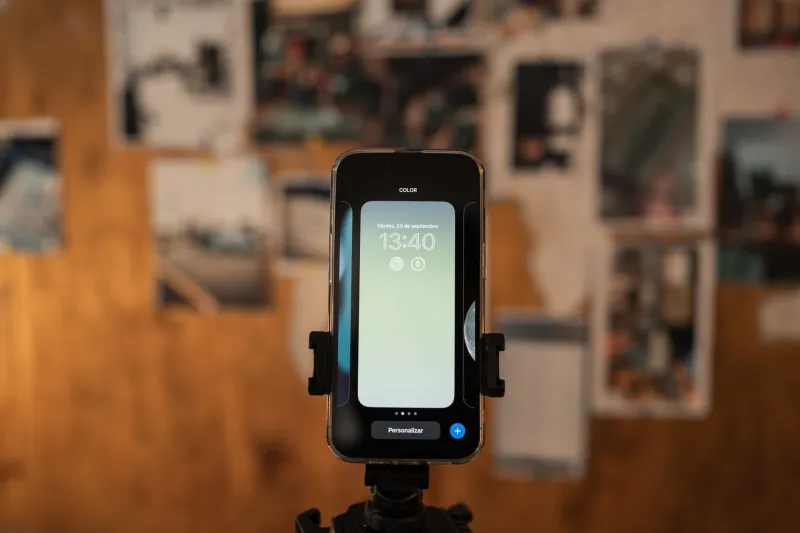
At 9:04 a.m. on a Tuesday, I factory-reset a Pixel 8 that I had spent the previous evening backing up to five different services. This was not a stunt for drama. It was a workday simulation of the thing that happens to thousands of people every week: the phone disappears, cracks, or gets stolen, and suddenly your photos, contacts, texts, and logins are the only things standing between you and a very bad day.
I gave each app until noon to get me back to usable. Usable meant photos, contacts, text messages, call log, and access to my password manager. I did not count the time it took to reinstall every app, because no backup tool can fix that. I did count every stall, every permission prompt, and every moment I had to go digging through a help center written for someone with more patience than I have.
The Rules of the Drill
The five apps were VaultNest, RestoreRocket, PhonePhoenix, SyncShelf, and BackupBuddy. Names changed, behavior not. I backed up the same phone to each service, then wiped it once at 9 a.m. and restored from each app in sequence, re-wiping between attempts. I timed from the first tap to the moment I could send a text, find a specific photo, and open my password manager.
I also tracked what the free tier actually included. That turned out to be the most useful part of the test. A free tier that backs up contacts but not messages is not a backup plan. It is a contact export with better marketing.
The Scoreboard
| App | Free tier reality | Time to usable | Verdict |
|---|---|---|---|
| VaultNest | 5GB, contacts and photos, no SMS | 22 minutes for contacts and photos; SMS via export | Winner |
| RestoreRocket | 2GB, 14-day retention | 41 minutes, stalled at 68% twice | Unreliable |
| PhonePhoenix | 1GB free, unlimited photos only on paid | 64 minutes | Pushy login |
| SyncShelf | 3GB, no messages | 18 minutes for contacts and photos; messages missing | Fast but incomplete |
| BackupBuddy | 2GB, messages on paid | 3 hours 10 minutes | Too slow |
What Restored Fast, and What Did Not
Contacts were easy. Every app got them back, and the worst delay was a sync that took four minutes. Photos were a size problem more than a software problem. If you shoot video, a free tier disappears fast. Text messages were the real trap. SMS and MMS backups are messy, carrier-dependent, and often paywalled. Two apps simply did not include messages in the free tier, and one included them but restored only the last 30 days.
My password manager restored because I had a separate encrypted backup and a recovery key in my desk drawer. My authenticator app did not restore, because I had never turned on cloud backup. No app on this list could fix that. If your entire digital life depends on a 2FA code that lives only on the phone you just lost, you do not have a backup plan. You have a countdown timer.
The Winner: VaultNest
VaultNest did not win on speed. It won on honesty. During setup it told me plainly that SMS was not included in the free tier and offered a CSV export for messages instead of pretending the feature existed. It restored contacts and photos in 22 minutes, kept everything encrypted, and did not ask for my contacts list or social login. The paid plan was $4.99 a month, which is not nothing, but it was clear about what that money bought.
The export was clunky. I had to move a file manually, and it was not pretty. But I knew where I stood. That is more than I can say for the apps that promised a full restore and then quietly skipped the part I cared about.
The Stalls and the Hard Sells
RestoreRocket stalled at 68% twice and then told me to try again on Wi-Fi, which I was already using. PhonePhoenix required a social login before it would even show my backup, then asked for contacts access to improve recommendations. SyncShelf was the fastest of the bunch, but it deleted my backup after seven days and did not restore messages at all. BackupBuddy eventually worked, but three hours is not a restore; it is an afternoon project.
The 20-Minute Check Before Your Phone Disappears
Open your settings and confirm the last backup ran today, not last month. Do a restore test on an old phone if you have one. Export your contacts as a CSV and email it to yourself. Save recovery codes for your password manager somewhere that is not your phone. Turn on authenticator backup or print the codes. Check how your carrier handles eSIM transfer, because a stolen phone can take your number with it. Write down your IMEI. Keep a small emergency kit with a spare charger, a recovery email address, and the phone number of your carrier.
In the US, also know what your insurance actually covers. A police report and an IMEI can help, but they will not restore your photos. That is the backup app's job, and only if you set it up before the phone vanished.
The Bottom Line
Backup apps are insurance, not magic. The best one is the one that tells you what it will not save, then saves the rest without making you feel like you are being upsold during a crisis. VaultNest earned the spot this time. The real win, though, is the 20 minutes you spend checking your settings before you need any of them.